

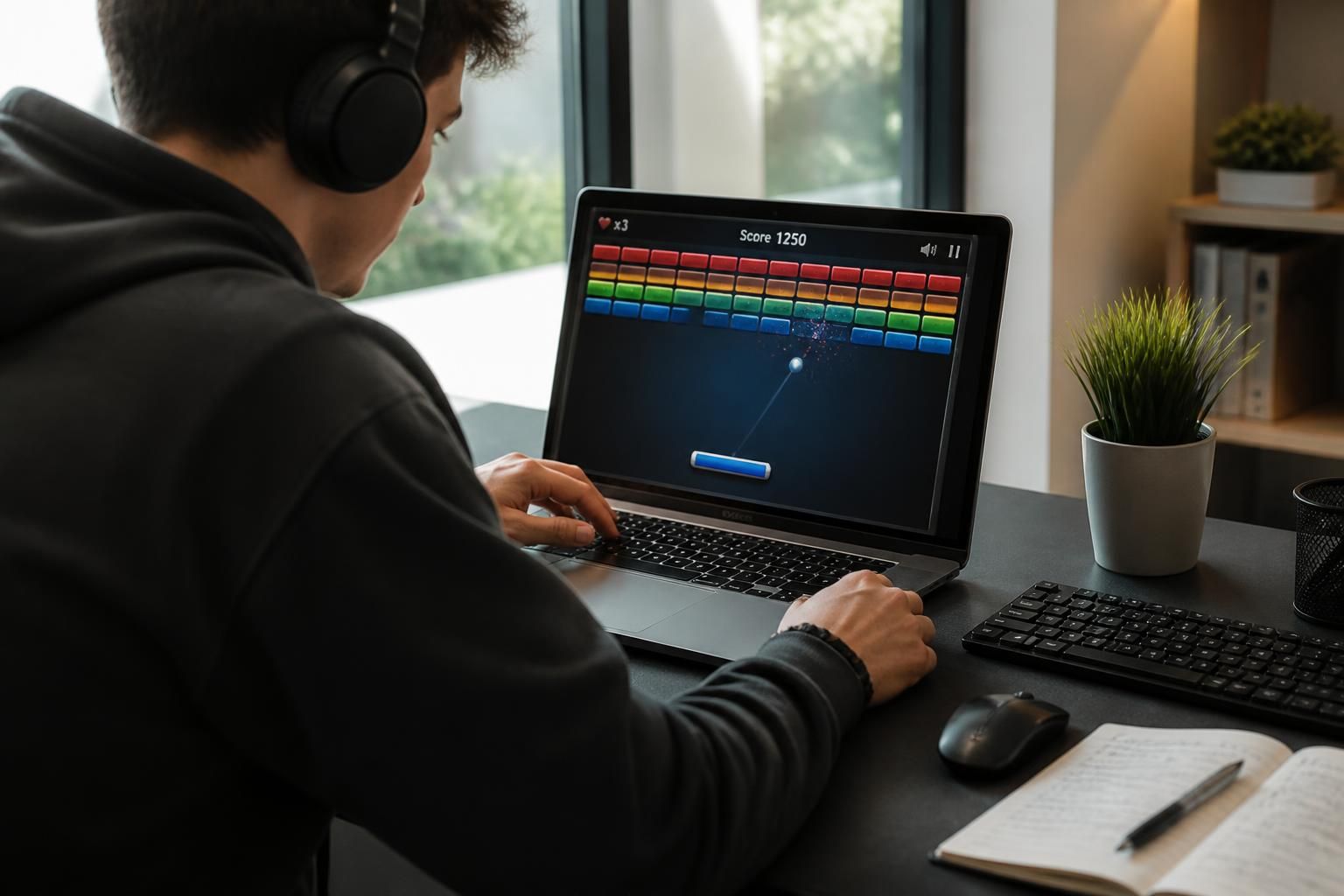
Sometimes it only takes a detail to divert attention from an urgent search. With Google Block Breaker, Google brings back a very simple and incredibly effective reflex: an online game accessible directly in the search bar, without downloading, where a ball, a paddle, and colorful blocks are enough to forget the rest. Between arcade nostalgia and a little adrenaline rush, this modern brick breaker ticks all the boxes of instant entertainment, with game controls that are accessible, clever bonuses, and that little delightful trap: one game quickly leads to another. For those who really want to know how to play, progress, and even beat the record, the challenge is not just to survive a few levels but to understand the mechanics, angles, risks, and the right time to attempt a real game strategy.
The article in brief
Google Block Breaker reactivates the spirit of brick breaker in a simple, fast, and surprisingly engaging version. Here is the essential to start a game, avoid traps, and aim for a solid score.
- Immediate access: One search is enough to launch the game without installation
- Essential gestures: Paddle, bounces, and precise timing make all the difference
- Decisive bonuses: Power-ups turn a difficult level into an opportunity
- Higher score: Angles, patience, and board reading boost the high score
A clear guide to play smart, last longer, and aim for a memorable score.
I still remember those afternoons when a simple brick game could captivate an entire generation. Today, Google takes back this old pleasure almost intact, but with a smoother design, thought out for both mobile and computer, and an immediate reward logic that speaks to everyone. The result is surprisingly modern: you arrive for a search, you stay for a game, then you find yourself wanting to improve your high score even though you hadn’t planned to play. It is precisely this mix of simplicity and tension that gives the game its strength.
Google Block Breaker game: how to play this hidden brick breaker in Google
The principle fits in one sentence, but all the interest lies in the execution. By typing Google Block Breaker, block breaker, or brick breaker in Google Search, an interactive panel appears with a paddle, a ball, and a grid of blocks. No need to install anything: this online game launches in the browser, with a retro atmosphere that recalls the great days of brick breakers, while remaining very accessible.
In its modern version, the game offers three lives, several levels, random bonuses, and layouts that become tougher as the game progresses. The idea is simple, but the pace changes quickly: the ball speeds up, some blocks become impossible to break, and each poorly placed bounce can be costly. This is where the real fun begins because every mistake feels like a useful lesson for the next attempt.
Game controls to know to start without mistakes
On a computer, the paddle moves with the mouse or the left and right arrows. To launch the ball, one click or the spacebar is enough. On mobile, control relies on touch and finger sliding, which makes the experience very intuitive, even in transit or between tasks.
The detail that changes everything, however, is precision. A paddle placed at the center sends the ball almost straight, while contact on the edges allows for a sharper angle. In other words, you don’t just “return” the ball: you have to prepare the next move, like a small arcade version of chess.
Understanding levels and traps of a difficult level
The first boards serve as a warm-up, but the tone changes quickly. From a few levels on, indestructible blocks appear, structures become tighter, and the ball speeds up to the point of making some returns almost nervous. On a difficult level, the real question is no longer “how to break fast?” but “where to send the ball so it works by itself?”.
A good game then looks like a series of well-calculated small bets. If the ball climbs into a vertical corridor, it can clear an entire zone without requiring much effort. This is where the game becomes almost hypnotic: you look for the right angle, then the trajectory takes care of the rest.
Game strategy and tips to beat the record on Google Block Breaker
To beat the record, you have to accept a simple idea: reflexes matter, but reading the board matters even more. A good game strategy is to create favorable trajectories rather than chasing the ball. This is what separates the fun game from the truly performant game.
The best scores often come from a clean start, a well-chosen angle, and the ability to resist haste. When bonuses drop, you have to decide quickly: keep stability or take a risk to accelerate block destruction. In this type of brick breaker, patience is rarely spectacular but pays off much more than agitation.
Tips to raise the high score
There are a few reflexes that really change the game. The most important is to dig a tunnel in a corner as soon as possible, so the ball ends up above the grid and clears blocks in a chain. This principle has worked since the early days of brick breakers, and Google is no exception.
Another essential point: play with the edges of the paddle to refine the angle. Many scores collapse because the ball goes back too vertically. On the other hand, a well-controlled offset contact opens up more useful bounces, faster to exploit, and much more profitable over time.
- Create a corridor on the edge to trap the ball up high.
- Use the ends of the paddle to adjust angles.
- Observe indestructible blocks before forcing the passage.
- Prioritize regularity over sudden movements.
At this precise moment, the game stops being a simple pastime and becomes a small exercise in precision. And honestly, that’s when it gets addictive.
Bonuses to use at the right moment
Bonuses change the balance of a game. Multi-ball speeds up destruction but complicates reading, paddle extension secures tight trajectories, and laser can help when blocks block access to a useful area. The real trap is grabbing a bonus because it shines, not because it suits the situation.
On the first boards, multi-ball can explode the score quickly. But in a faster sequence, it becomes almost a test of composure. The right reflex is often to follow the slowest ball because it gives the most control amid chaos.
| Bonus | Main effect | Most useful moment |
|---|---|---|
| Multi-ball | Adds several balls in play | Start of level or dense board |
| Extended paddle | Increases the rebound area | Technical passages and tight angles |
| Laser | Allows breaking blocks from a distance | When an obstacle blocks progress |
| Extra life | Offers a safety margin | To extend a promising streak |
Big games are rarely won by chance. They are built, bonus by bonus, with enough calm not to sabotage a nice streak.
Why Google Block Breaker appeals so much to online game lovers
This success comes down to something very human: the combination of familiarity and surprise. Google takes up a universal video game language, brick breaker, then slips it into an everyday spot, among ordinary searches. Result: you don’t “go play,” you stumble upon it, and it’s even more irresistible.
There is also a well-measured dose of nostalgia. The game recalls arcade cabinets, historic versions inspired by Breakout, and the raw pleasure of bouncing a ball until the last brick. In 2026, when so many experiences ask for an account, download, or subscription, this simplicity is almost a luxury.
And then, let’s be honest among ourselves, the brain loves short loops. One action, one reward, one difficulty increase, then the desire to try again. The charm of Google Block Breaker is that it doesn’t seek to be deep at all costs: it just wants to be good, immediate, and clever enough to make you want to restart.
Other Google easter eggs to try after Google Block Breaker
The game is not an isolated case. Google has multiplied hidden surprises over the years, and several still work in 2026 directly from search. For the curious, it is almost a parallel playground, between pop culture nods and mini interactive experiences.
Here are some examples to try, keeping in mind that some triggers vary depending on the interface language. If the result doesn’t appear at first, switching to English in search preferences may be enough to unlock the animation or mini-game.
- Pac-Man: a playable Doodle that marked an era.
- Solitaire: a quiet break for card lovers.
- Snake: a classic reactivated in search.
- Minesweeper: for those who like to think before clicking.
- Do a barrel roll: a visual nod turned cult.
- Askew: a page that tilts slightly, just to smile.
These little games say a lot about Google: behind the ultra-practical search engine, there is also a culture of nods and light interaction. And maybe that’s why we come back so easily to these surprises.
Useful benchmarks to avoid losing your game too fast
When a game starts well, the classic mistake is wanting to go too fast. Yet, in Google Block Breaker, precision is often better than haste. A well-oriented ball at the start avoids frustrating losses later, especially when speed increases and resistant blocks multiply.
Regular players quickly remember three priorities: watch the angles, anticipate difficult zones, and don’t confuse visible bonus with useful bonus. A good score is not just a matter of luck. It’s mostly a matter of attention, a bit like a simple recipe that succeeds because you didn’t burn the heat.
| Reflex | Why it’s useful | Effect on the game |
|---|---|---|
| Stay centered | Allows faster correction of bounces | Reduces silly losses |
| Create a tunnel | Maximizes destruction streaks | Speeds up the score |
| Read the blocks | Prevents wasting shots | Improves precision |
| Choose your bonuses | Prevents breaking the rhythm | Stabilizes difficult levels |
Ultimately, the game rewards those who know how to stay calm when everything speeds up. And that’s often when the fun becomes really lasting.
To keep playing without mistakes, just remember a simple idea: Google Block Breaker is not just a nostalgic nod; it’s a small training ground for the eye, patience, and sense of timing.
How to launch Google Block Breaker?
Just type block breaker, brick breaker, or Google Block Breaker in Google Search. An interactive panel then appears directly on the results page.
Do I need to install anything to play?
No, no download is necessary. The game opens in the browser and works like a free online game.
What are the best game controls?
On a computer, the mouse or arrows are used to move the paddle, and the space bar or click launches the ball. On mobile, touch and sliding are enough.
How to increase your high score?
The most effective way is to create a tunnel on one side, play angles precisely, and use bonuses at the right moment, especially in a difficult level.
Can you resume a game later?
No, the progress is not saved. If the tab closes, the game restarts from zero on the next attempt.


